The Airbnb calendar syncs with other platforms through iCal links. You use it to block dates, adjust your prices by period and set your stay lengths. A well-kept calendar avoids double bookings and improves your visibility. Here is how to master it in 2026.
How to sync your Airbnb calendar with other platforms
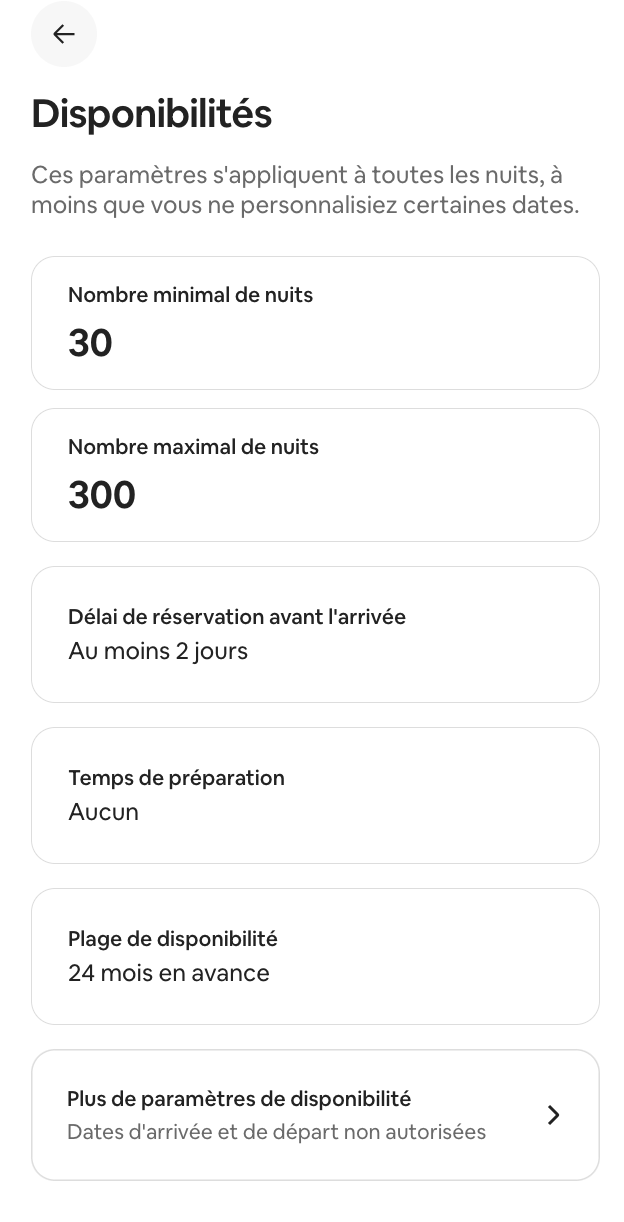
Syncing prevents the same night from being booked twice. When a booking lands on one platform, the date is blocked on the other. The principle relies on iCal links, in the .ics format.
- Open the Calendar, then select your listing.
- Click Availability.
- Under Connect calendars, choose Connect to another website.
- Copy the Airbnb calendar link, then paste it into the other platform.
To import an external calendar, create an .ics link from the other site. Paste it into Airbnb, name it, then confirm with Add calendar. Airbnb imports up to two years of data. An imported calendar cannot be paused. You have to disconnect it, then reconnect it.
Watch out for refresh delays
iCal syncing is never instant. Each platform refreshes at its own pace. This is a point too many owners overlook.
| Platform | Refresh frequency |
|---|---|
| Airbnb | Every 3 hours |
| Booking.com | Every 2 hours |
| Vrbo | Every 30 minutes |
This lag creates a window of risk. Two guests can book the same night before the update goes through.
iCal syncing is not real-time. It is the leading cause of double bookings in multi-platform management.
One nuance matters. Booked nights do block properly from one platform to another. The dates you block manually elsewhere do not always feed back into Airbnb.
Blocking and unblocking dates
Manual blocking takes a few clicks. Open the calendar, select one or more dates, then switch to Available or Blocked. Blocked dates appear crossed out.
You cannot freely unblock certain dates. Those tied to a booking or a synced calendar stay locked. On mobile, a long press lets you select a full range.
What is your property's potential?
Get a free, no-commitment rental audit from our on-the-ground team.
Setting your stay lengths and availability
Airbnb offers precise settings to frame your bookings. Here are the main parameters to know.
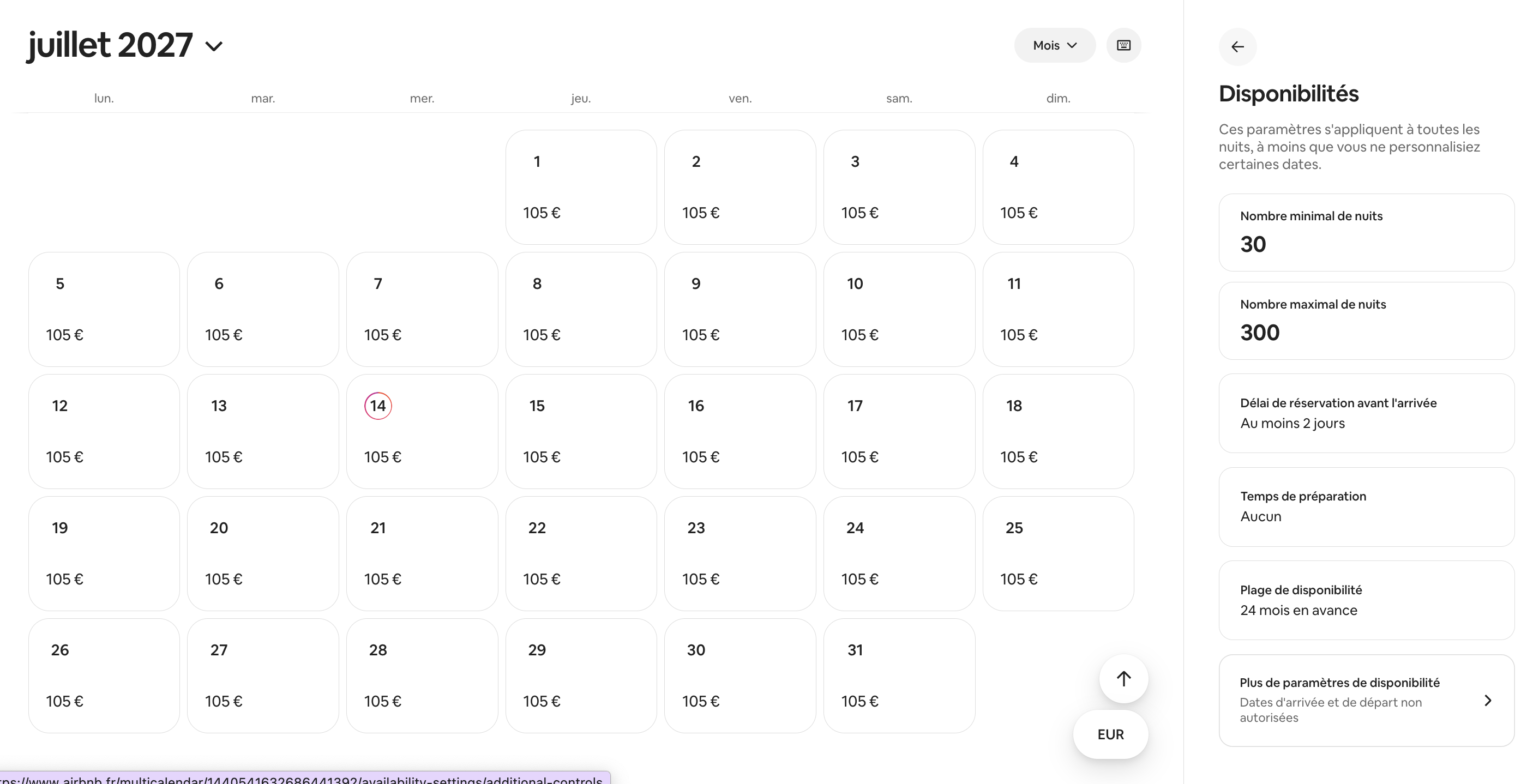
- Booking lead time before arrival: the advance notice required from the guest.
- Preparation time: a buffer between two stays for cleaning.
- Availability window: the range of future dates open to booking.
- Length of stay: the minimum and maximum number of nights accepted.
You can customise the minimum length by arrival day. For example, a two-night minimum for a Friday arrival. This setting optimises your weekends in high season.
Changing prices by period
The nightly price is set in Pricing settings. For a specific period, select the relevant dates in the calendar. You then apply a custom rate, valid for future bookings.
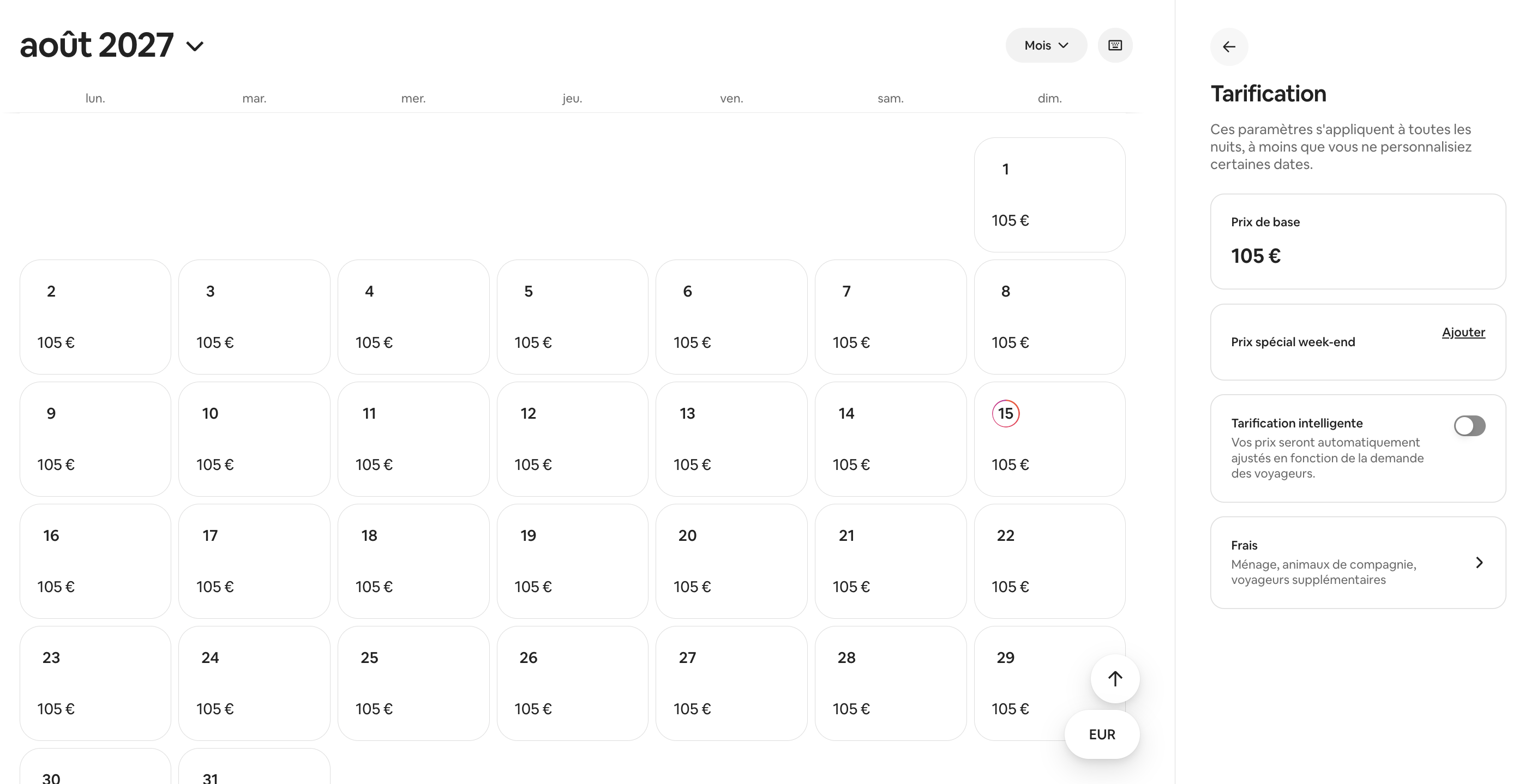
Airbnb also offers native smart pricing. It adjusts your prices based on demand. For a sharper strategy, read our guide on Airbnb Smart Pricing.
Response rate and ranking: the link with your calendar
An up-to-date calendar does more than prevent mistakes. It weighs on your visibility. Airbnb ties good schedule management to your listing's performance.
The response rate measures new enquiries handled within 24 hours, over 30 days. Airbnb is clear about its importance.
This is the response time that determines your eligibility for Superhost status and your ranking in search results.
Declining an enquiry counts as a response. Letting an enquiry expire lowers your rate. A well-kept calendar and steady responsiveness reduce cancellations. They therefore improve your position.
Responding fast matters as much as setting the right prices. A reply within a few hours reassures the guest and protects your ranking. It is continuous work, seven days a week. This is exactly what a hands-on concierge takes care of for you.
A question about your project?
Talk directly with your local Vesna agent. Available, responsive, no commitment.
The channel manager, to handle several calendars
Beyond two platforms, iCal shows its limits. A channel manager then centralises everything in a single dashboard. It pushes date and price updates almost in real time, in both directions.
It thus reduces the risk of double bookings tied to iCal delays. For one or two properties, native iCal is often enough. The value of a dedicated tool grows with the number of listings. If you also manage delegated access, our article on Airbnb subletting rounds out the subject.
Save time on managing your schedule
Syncing, blocking, adjusting prices and responding fast: it never stops. Do you want to delegate the management of your property on the Côte d'Azur? Contact the Airbnb Concierge in Nice. We keep your calendar up to date, every day.
To frame your activity, also read our guide to short-term rentals, the Airbnb regulations and home insurance for short-term rentals.
Frequently asked questions
- 1.Syncing your calendar with other websites — Airbnb, Help Centre (article 99), July 2026. airbnb.fr/help/article/99
- 2.Editing your host calendar — Airbnb, Help Centre (article 447), July 2026. airbnb.fr/help/article/447
- 3.Set the minimum and maximum number of nights — Airbnb, Help Centre (article 880), July 2026. airbnb.fr/help/article/880
- 4.Improve your response rate and time — Airbnb, Help Centre (article 430), July 2026. airbnb.fr/help/article/430
- 5.How to synchronise your calendars across channels — Booking.com Partner Hub, June 2026. partner.booking.com/en-gb/help/rates-availability/extranet-calendar
Read also